
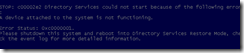
现象:

“STOP: c00002e2 Directory Services could not start because of the following error: A device attached to the system is not functioning.
Error Status: 0xc0000001. Please shutdown this system and reboot into Directory Services Restore Mode, check the event log for more detailed information.”
操作方法:
- Restart the server and press F8 key, select Directory Services restore mode.
- Log in with the local administrator username and password
- Type: cd \windows\system32
- Type: NTDSUTIL
- Type: activate instance NTDS
- Type: files
- If you encounter an error stating that the Jet engine could not be initialized exit out of ntdsutil.
- Type: cd\
- Type: md backupad
- Type: cd \windows\ntds
- Type: copy ntds.dit c:\backupad
- Type: cd \windows\system32
- Type: esentutl /g c:\windows\ntds\ntds.dit
- This will perform an integrity check, (the results indicate that the jet database is corrupt)
- Type: esentutl /p c:\windows\ntds\ntds.dit
- Agree with the prompt
- Type: cd \windows\ntds
- Type: move *.log c:\backupad (or just delete the log files)
This should complete the repair. To verify that the repair has worked successfully:
- Type: cd \windows\system32
- Type: ntdsutil
- Type: activate instance ntds
- Type: files (you should no longer get an error when you do this)
- Type: info (file info should now appear correctly)
One final step, now sure if it’s required:
From the NTDSUTIL command prompt:
- Type: Semantic Database Analysis
- Type: Go